Built for how chemical inventory actually works
Not a generic asset tracker bolted onto chemistry — every feature is designed around validity, hazards, location and the daily decision of allocate vs. buy.
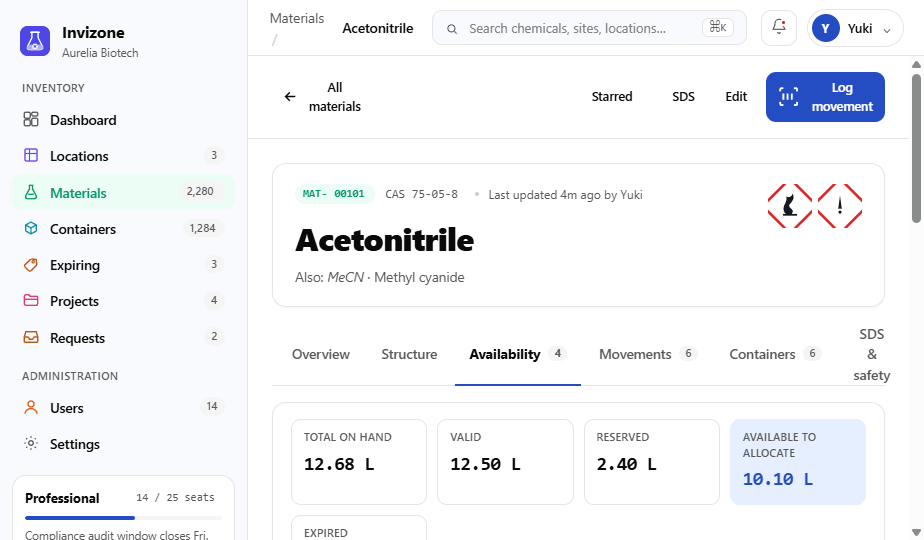
The honest stock number
Every material is split into total on hand, valid, reserved and available-to-allocate — recalculated live from container-level data. Expired stock is flagged and excluded, so you never plan around chemicals you can’t use.
- Live valid / expiring / reserved / available breakdown
- Per-site, per-location and per-container detail
- FEFO ordering surfaces the next container to use
Use what you already own
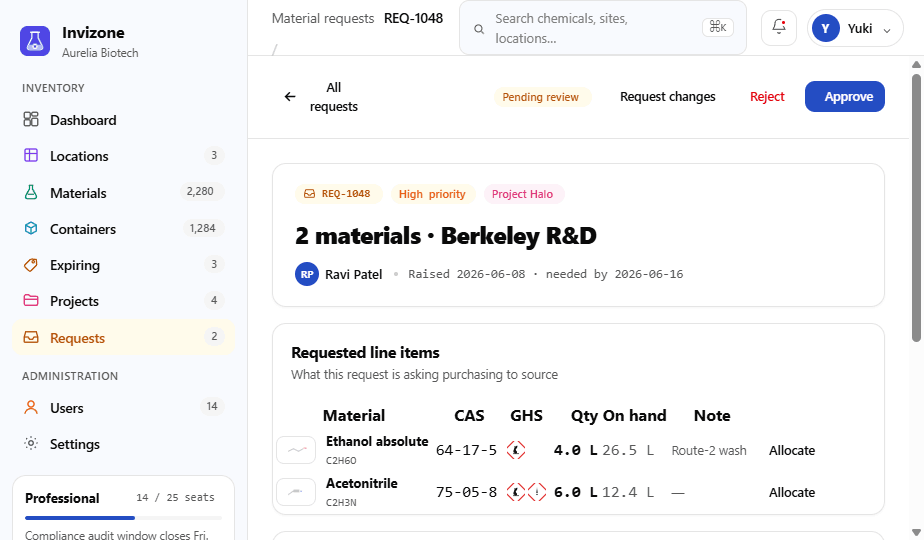
Turn a requirement into a first-expiry-first-out pull plan against valid, unreserved stock. Only the real shortfall becomes a purchase request — cutting duplicate orders and shrinking spend.
- Automatic FEFO container selection
- Shortfall flows straight to a request & ERP export
- Cross-site stock considered before buying new
Act before stock becomes a problem
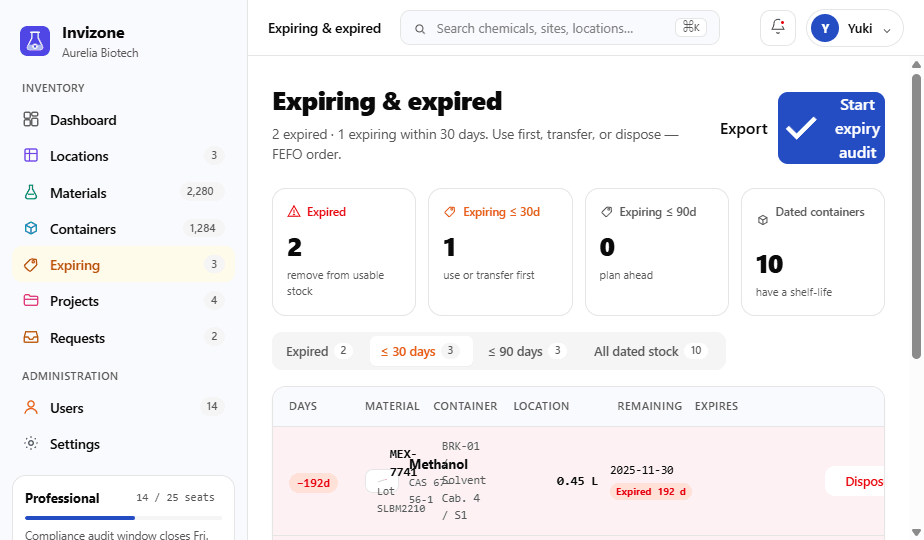
A dedicated worklist ranks every dated container by days remaining, with use-first and dispose actions — backed by GHS hazards, storage rules and SDS records on every material.
- Expiring & expired worklist in FEFO order
- Quarantine and disposal pathways
- GHS pictograms and storage-condition checks
The complete toolkit
All the fundamentals of a chemical inventory platform — each one feeding the same live, compliant picture.
Chemical registry
IUPAC names, CAS numbers, molecular formulas, physical properties and GHS classifications, fully searchable.
Structure & PubChem
View 2D structures, SMILES and InChI, with CAS lookup and PubChem CID enrichment built in.
Location hierarchy
Sites → rooms → cabinets → shelves, with temperature, flammability ratings and capacity at each node.
RFID containers
Track each vessel by lot, fill level, scan history and chain of custody — online tag status included.
Multi-site & multi-tenant
Operate many facilities under one account, each with isolated inventory, locations and permissions.
Projects
Tie material requirements to projects and watch required, requested and consumed amounts in one place.
Requests & ERP export
Raise, review and approve requests, then export approved lines as CSV or to your ERP / purchasing system.
Roles & access control
Owner, admin and member roles with granular, site-aware access so people see only what they should.
⌘K & audit trail
Jump anywhere with the command palette, and keep an immutable log of every change for compliance.
See it on your own inventory
Start free, or book a walkthrough and we’ll show you the allocate-vs-buy workflow on real data.